For iPhone & Android
Win the week,
one day at a time.
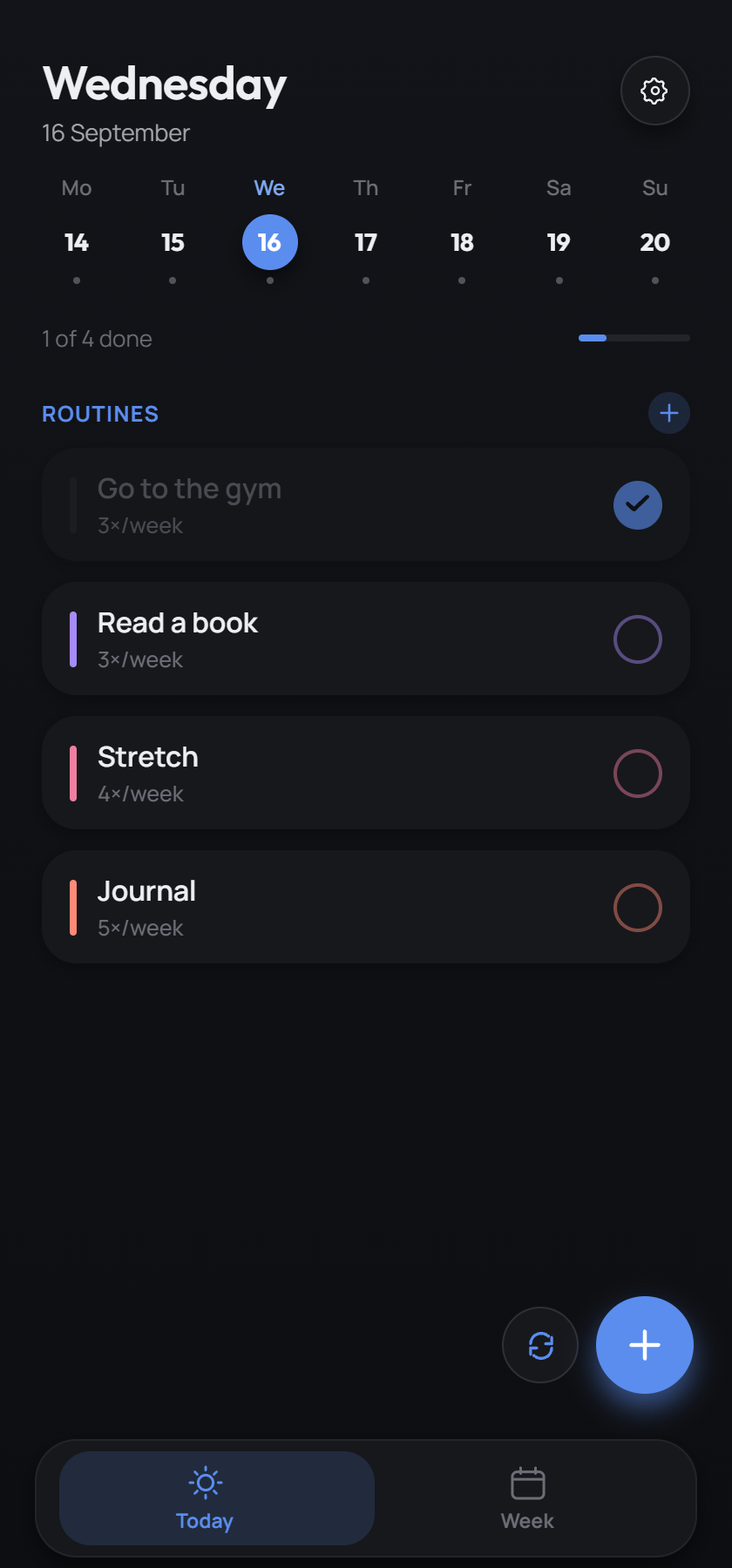
Turn your recurring goals into a simple, color-coded plan. See the whole week on one screen, then open Today for a focused checklist of exactly what's due. Nothing else.
No account. No cloud. Your plan stays on your device.
Two views of one plan · Six colors per week · Zero accounts, ever
Features
Built around how a week actually goes.
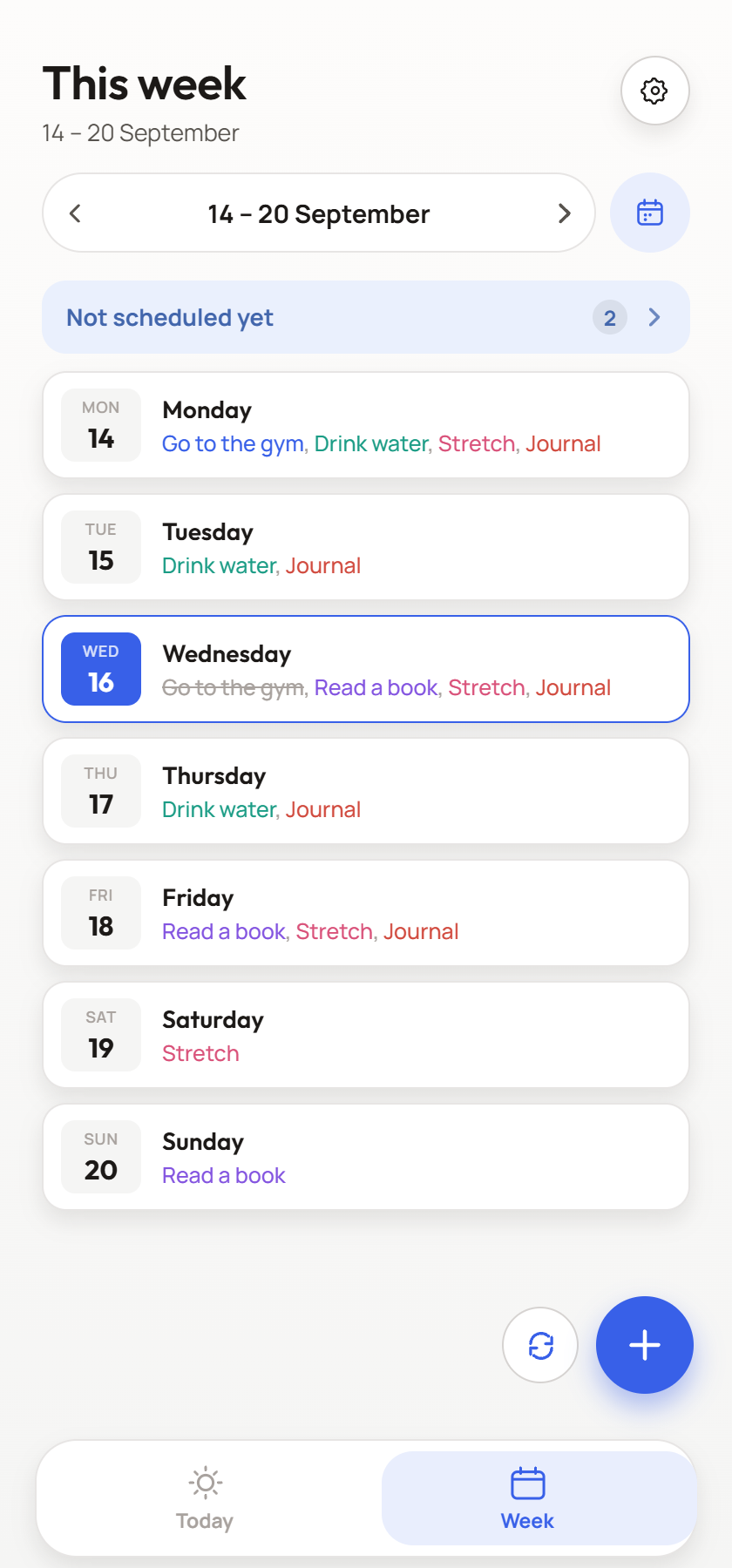
See the whole week
Browse any week and see exactly which routines land on which day. Routines you haven't planned yet get called out in their own group, so nothing quietly slips off your radar.
Today, without the noise
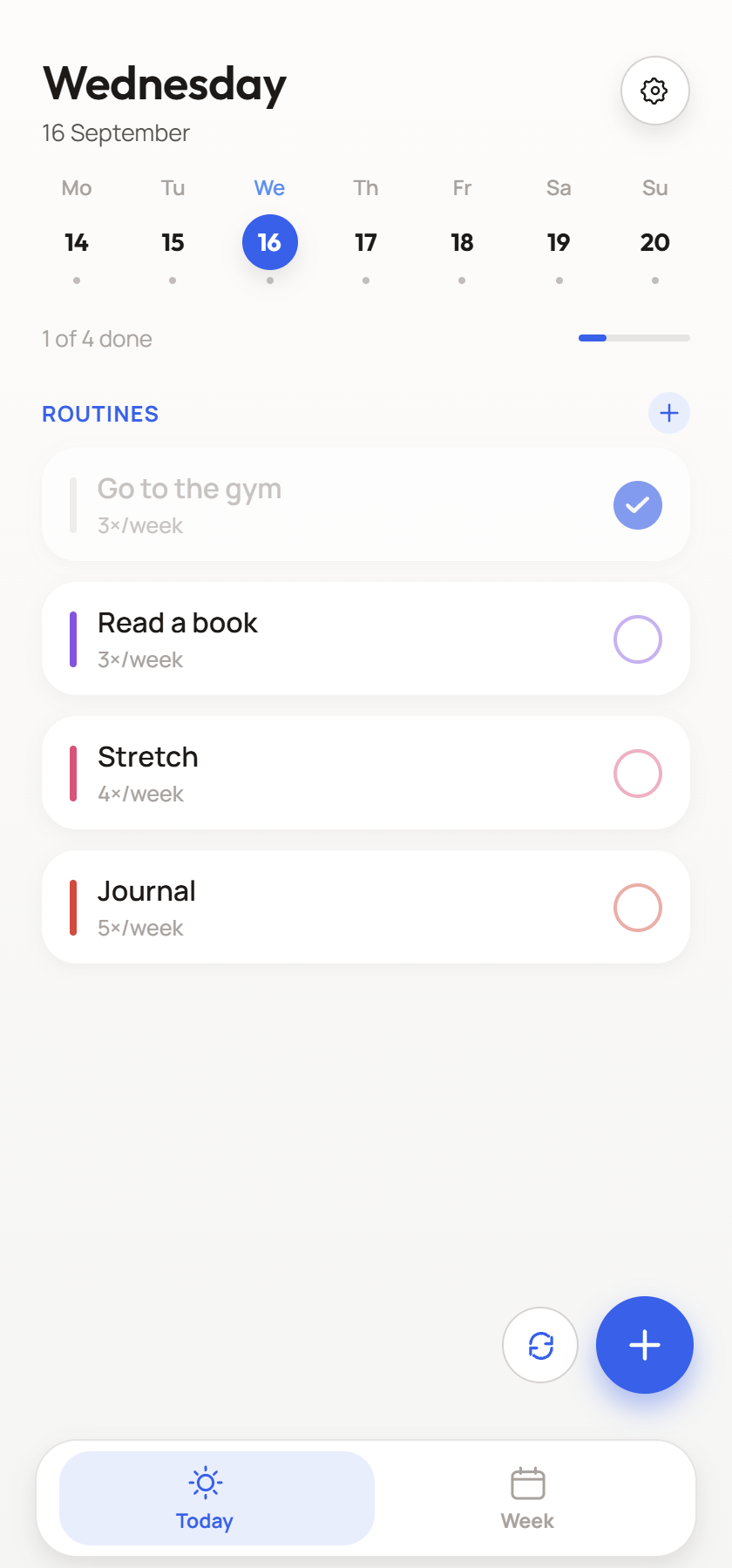
Open Today for a single, focused list pulled straight from your routines. Nothing from other days, nothing you can't act on right now. Check things off, watch the progress bar fill, and long‑press to drag tasks into the order you'll actually do them.
Color that means something
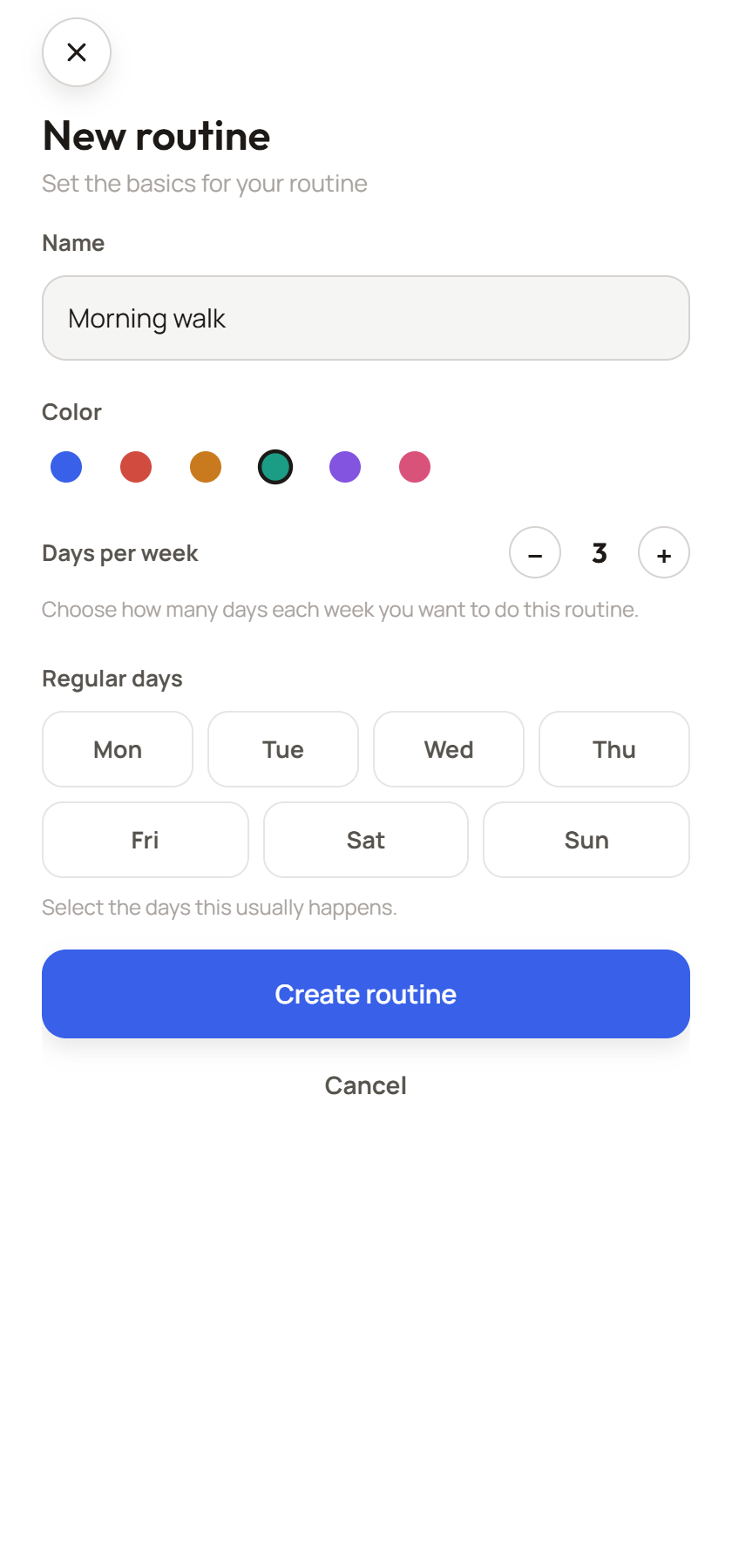
Give every routine its own color and frequency: three times a week, every weekday, whatever fits. Across a full week those colors turn into a pattern you can read at a glance, instead of a wall of identical to-dos.
Routines that flex with you
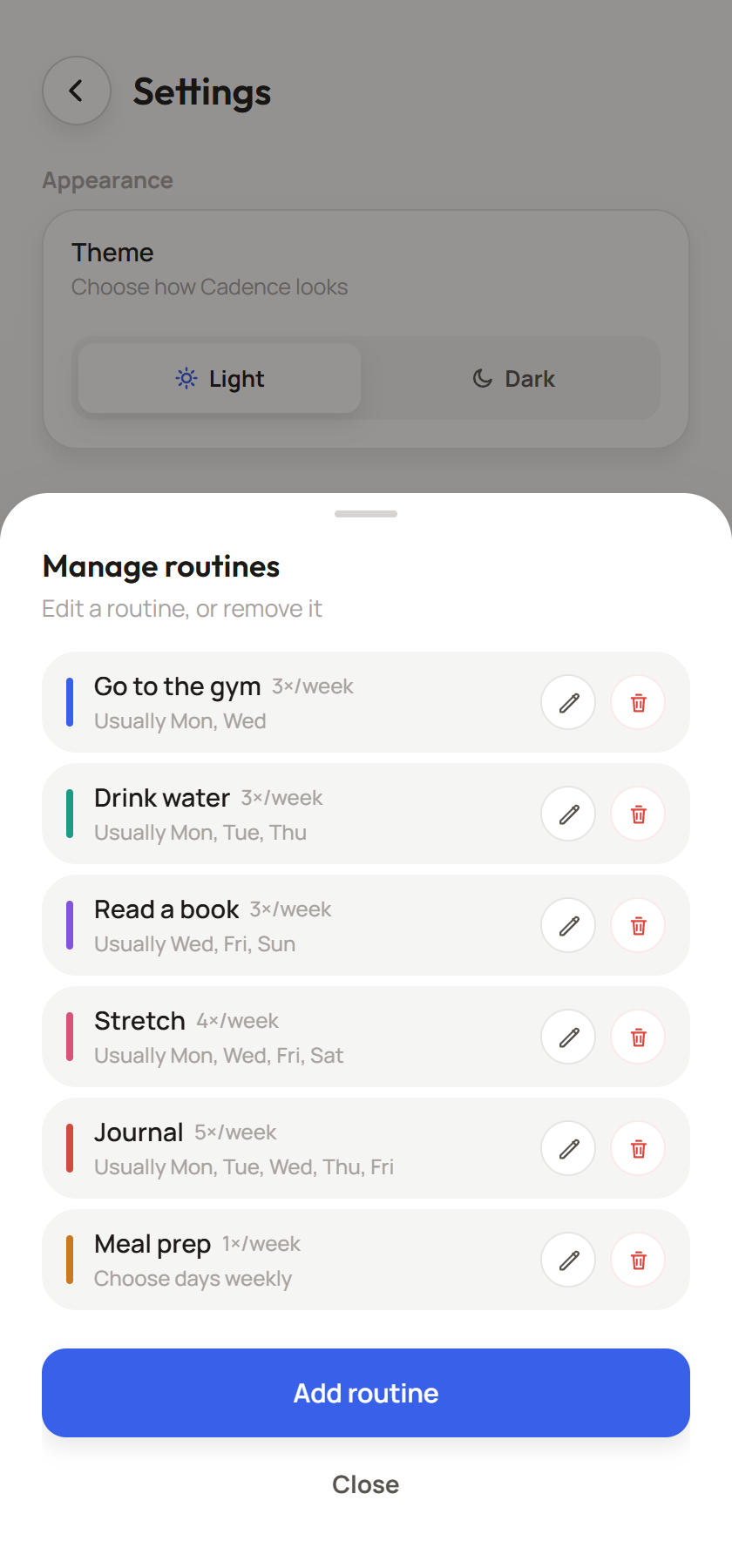
Life reshuffles itself constantly. Edit a routine's color, frequency or default days any time, or plan one week differently without touching next week's rhythm.
Light & dark, built in
Bright in the morning, dark after sunset, or whatever you last tapped. It's one switch away in Settings, or try the toggle up top.
Drag to reorder
Long-press any task on Today and drag it into the order you'll actually tackle it.
Plan week by week
Keep a default rhythm, or override just this week when the schedule needs to bend.
One gentle reminder
A single daily nudge to check today's plan, if you want it at all. Turn it off in Settings and it won't ask twice.
Nothing forgotten
Unscheduled routines get their own group at the top of the week, waiting to be placed.
Private by default
No sign-up, no server, no tracking. Routines are written straight to your phone's storage and stay there.
How it works
Three steps. That's the whole system.
Add a routine
Give it a name, a color, and a frequency. "Gym, 3× a week." "Journal, every day." Whatever you're actually trying to do.
Set the days
Give it a default rhythm, or leave it unscheduled and place it into the week whenever it fits.
Check off today
Open Today, see only what's due right now, and check it off as you go. That's it.
Repeat weekly. Adjust whenever life does.
A closer look
Every screen, tuned twice: once for day, once for night.
Try the toggle in the header, or the switch below.
Coming soon
Ready to win the week?
Win The Week is in final development for iPhone and Android. Check back here when the app is ready to download.
No account, no tracking and no data sent to a server. Read our privacy policy.